Back to Portfolio
Project Overview

DIS Mobile.

Field Service Management App

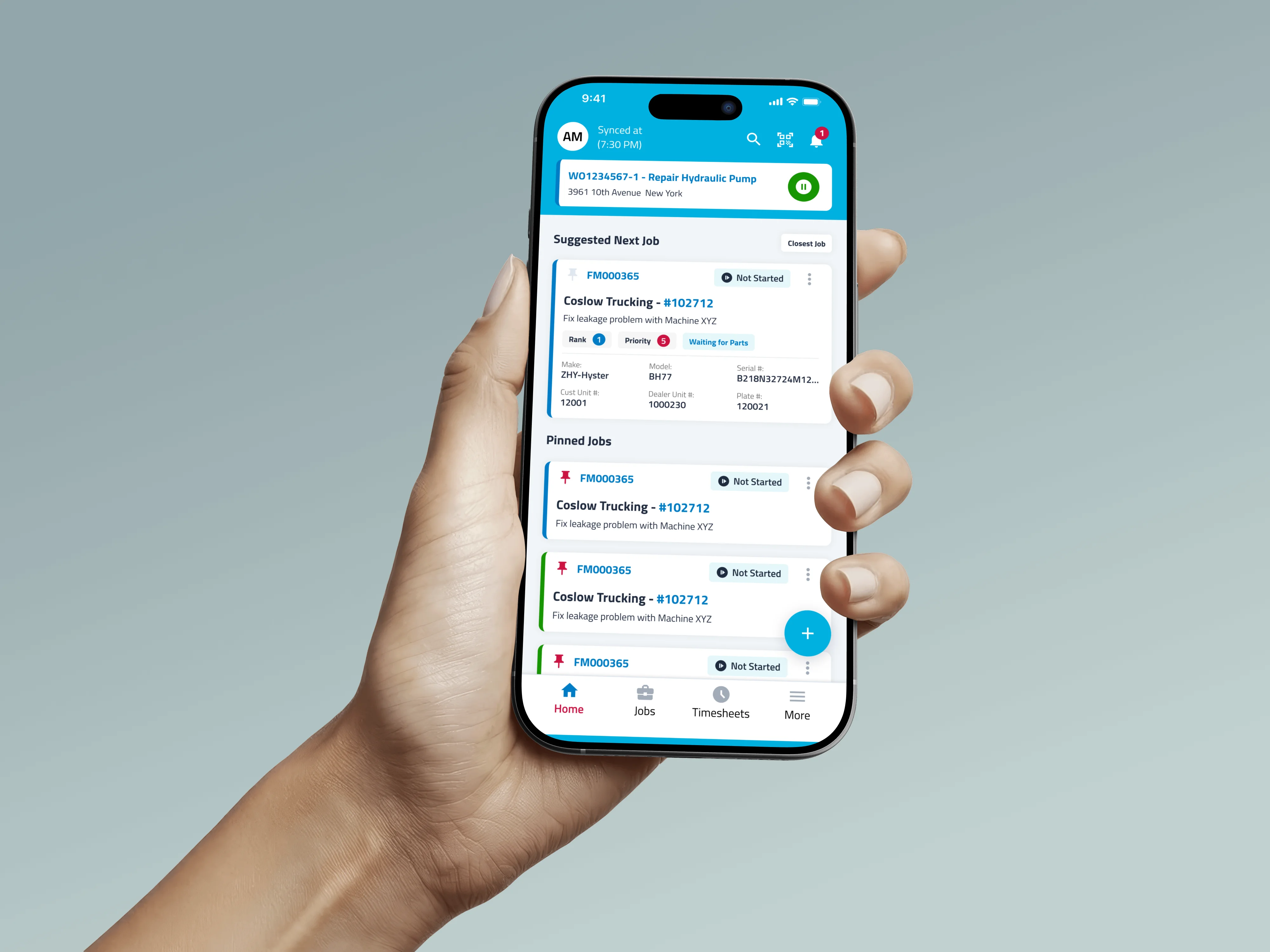
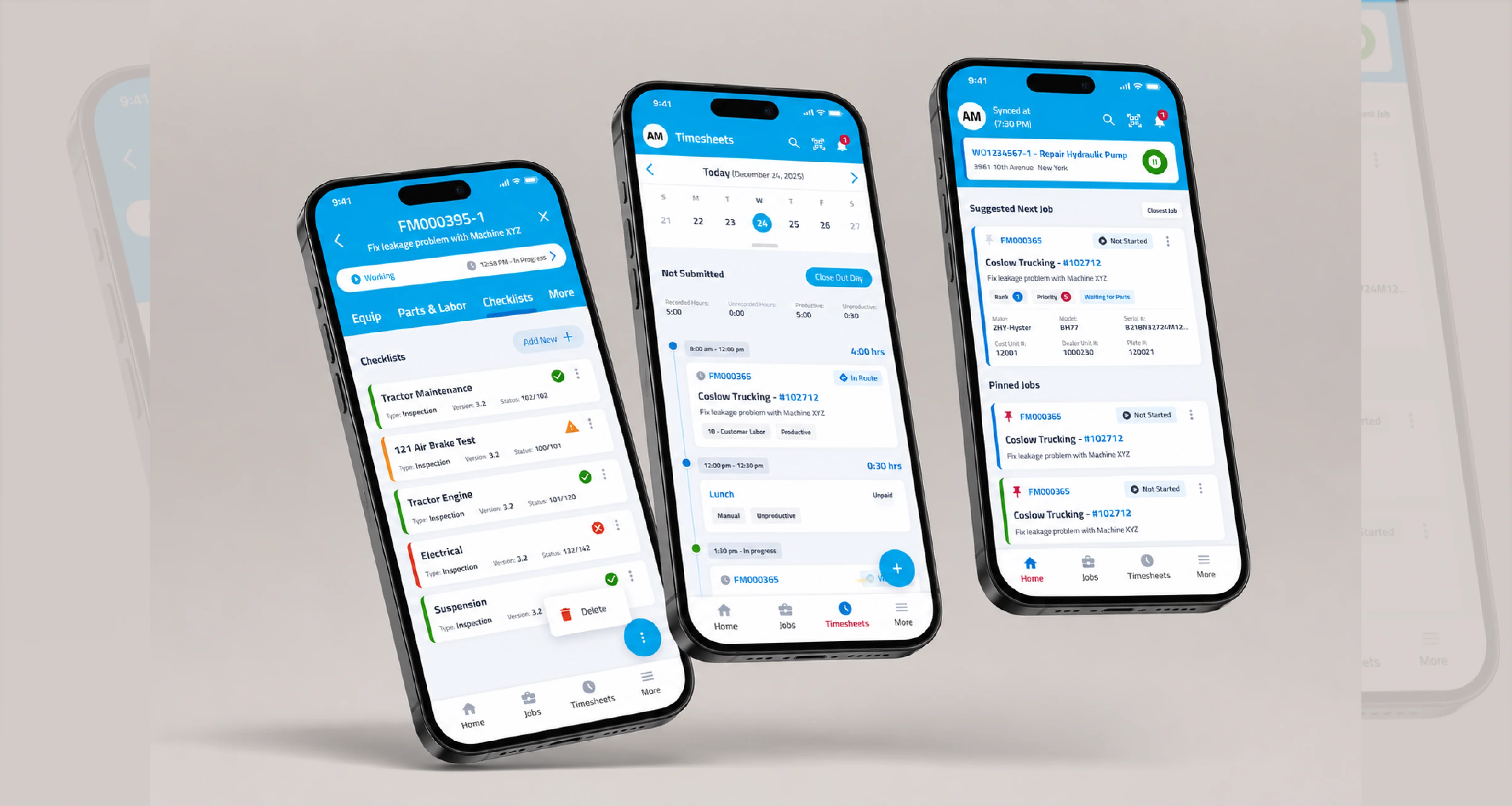
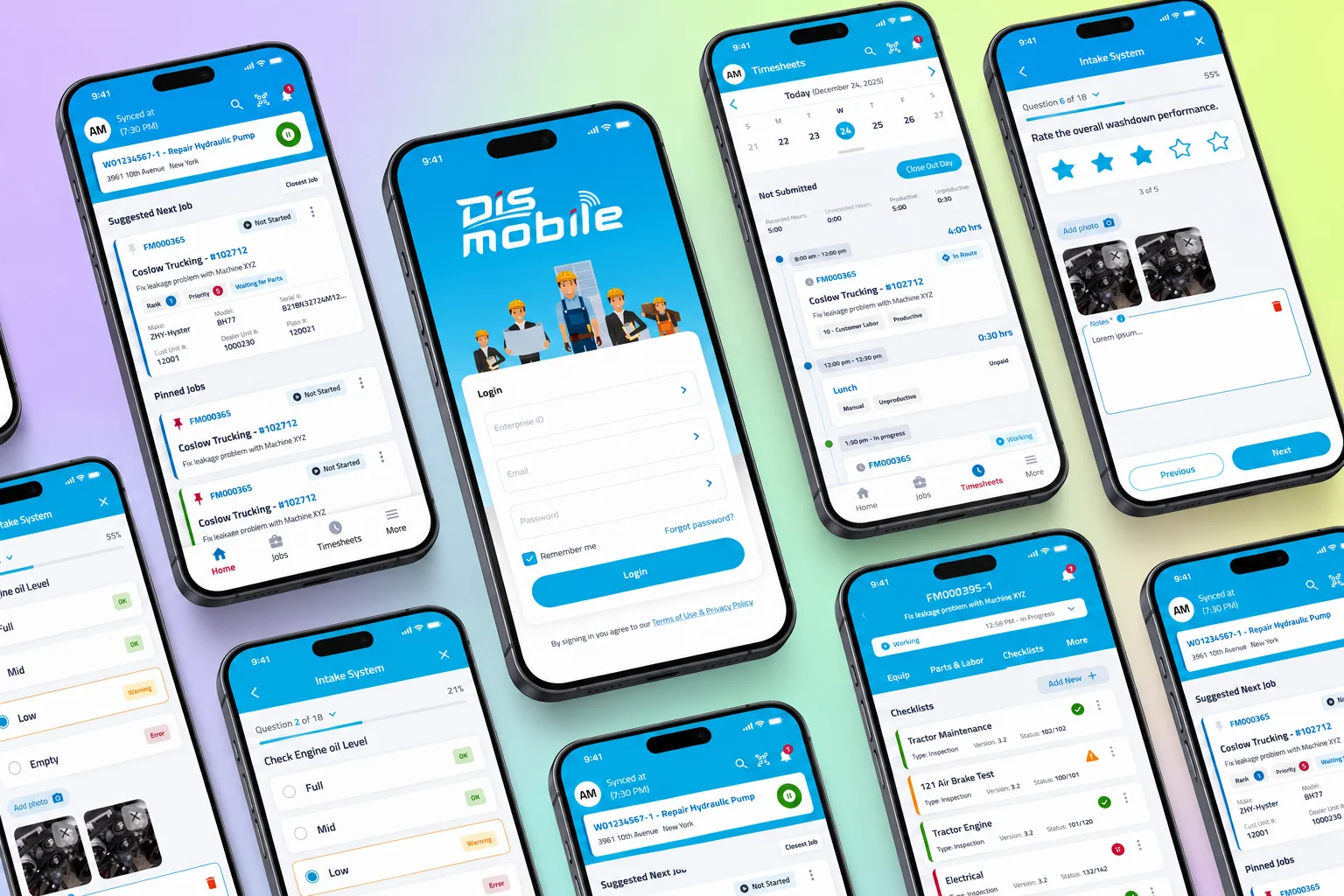
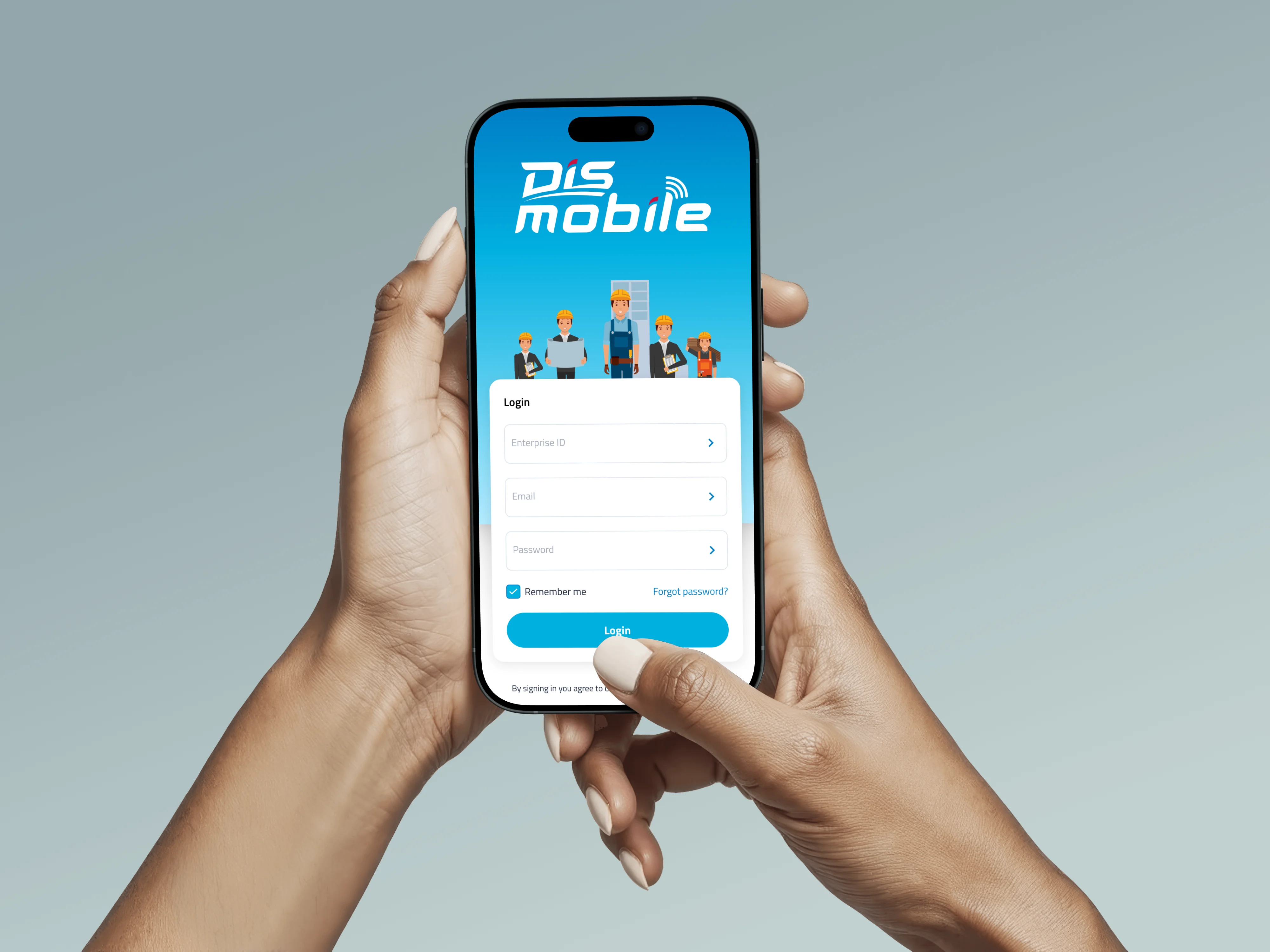
DIS Mobile allows service technicians in the shop, or in the field to view work orders assigned to them, record labor, add notes, and take pictures of equipment and repairs — keeping service teams connected and productive wherever the job takes them.
Role UI/UX Designer
Platform iOS (iPhone & iPad)
Category Enterprise
DIS Mobile App Preview
DIS Mobile Work Orders
DIS Mobile Labor Recording
DIS Mobile Field View

What I contributed.

I've been designing DIS Mobile since the early workflows, and here's what I've been focused on most recently.

AI-Assisted Workflows

Figured out where AI actually saves technicians time in their day instead of just bolting it on as a gimmick.

Timesheet Reports

Built a reports view from scratch so techs and managers don't have to dig through logs just to see hours worked.

Dark Mode

Rebuilt the UI component by component rather than just inverting colors, so it still held up in bright sunlight and dark warehouses alike.

Multi-Language Support

Reworked layouts so they wouldn't fall apart once real translations came in — some languages just run a lot longer than English.

Job Detail & Clocking Navigation

Rethought how techs move around the Job Detail screen and clock in and out — small friction points that add up over a full shift.

Ongoing Refinement

Kept tightening notes, photos, and clocking based on what technicians actually complained about, and chipped in on performance fixes along the way.

Key Features

  • Work Order Management
  • Labor Time Tracking
  • Notes & Comments
  • Photo Documentation
  • Technician Assignment
  • Field & Shop Access

Technologies

  • Swift / SwiftUI
  • REST APIs
  • DIS Service 360

Platforms

  • iPhone
  • iPad

Lessons from the field.

01

AI only works if people trust it

Took me a bit to figure this one out. I'd ship a smart suggestion and technicians would just tap past it without reading it. Once I started showing why something was being suggested, they actually started using it.

02

Talking to technicians changed the brief

A lot of what I assumed about the workflow was just wrong. I only found that out after sitting with a few technicians and dealership staff and watching how they actually work mid-job — the spec sheet and real life didn't agree on a few things.

03

A design system pays for itself

Honestly didn't want to spend time on this at first, felt like overhead I couldn't afford. But once the components were actually built out, new features got faster to ship instead of me redrawing the same buttons and cards every time.

04

Tablets and dark mode don't scale the same way

I figured dark mode would basically be a color swap and iPad would just be a bigger phone screen. Neither turned out to be true — I ended up testing almost every screen twice, once per device, once per theme.

Other projects

Back to All Projects